ross2340

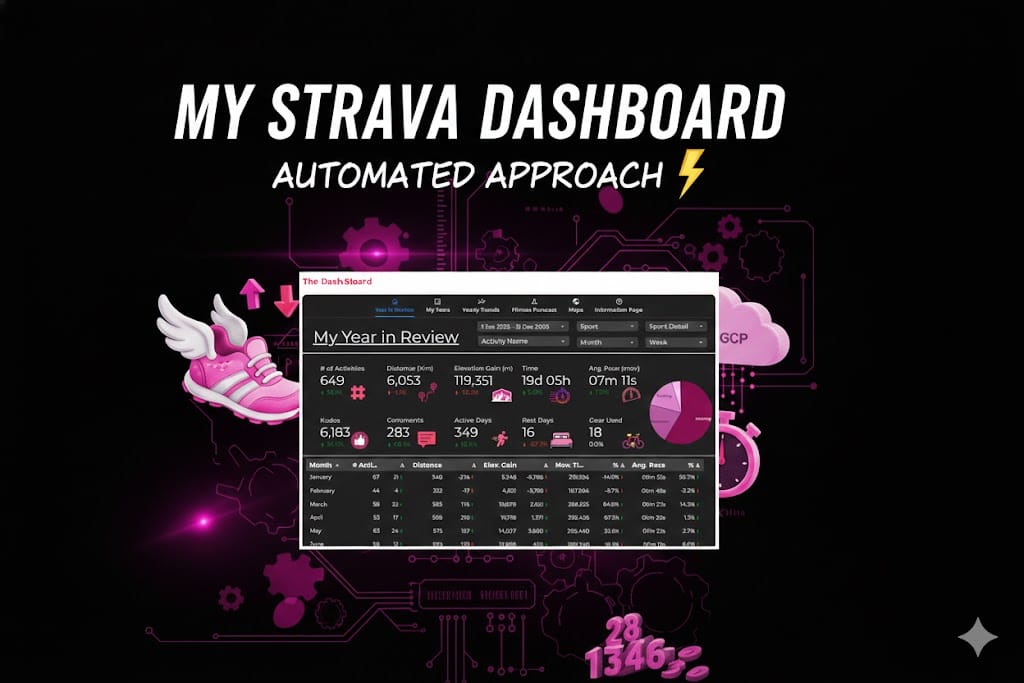
My Strava Dashboard: An Automated Approach

TLDR: “I automated my Strava data so I can spend less time looking at my laptop and more time getting lost on trails. Check out how I built a 100% cloud-automated fitness dashboard.”

We’ve reached that time of year again. My social feed is currently a graveyard of Spotify Wrapped stats and “Year in Review” infographics. Strava’s version is… fine. It tells me I ran a lot and probably spent too much money on gels.

But as a data person, a once-a-year few pages of stats doesn’t cut the mustard. I didn’t want a participation trophy; I wanted a command center. I wanted to see how my 2025 hill repeats compared to 2018, and I wanted it to update while I was out actually doing the miles—not while I was hunched over a keyboard hitting “Run Script.”
The Build: Moving from Manual to "Mach 1"

To get this off the ground (and into the cloud), we built a four-stage pipeline that handles the heavy lifting so I don’t have to. Here is the “Pro” setup:

  1. The Handshake (Strava API): We tapped into the Strava API using OAuth 2.0. This isn’t just a simple download; it involves a system of refresh tokens that allow the dashboard to keep its “all-access pass” to my data without me having to log in every morning.
  2. The Brain (Python & Pandas): I (with the help of my trusty assistant, Gemini) wrote a Python script that acts as a digital filter. It pulls over 60 columns of raw data—everything from heart rate to polyline map coordinates—and transforms them. We’re talking unit conversions (meters to km), date-granularity breakdowns, and custom “Efficiency Ratios” (Moving Time vs. Elapsed Time).
  3. The Warehouse (Google Sheets): Instead of a complex SQL database, we used Google Sheets as a lightweight data warehouse. It’s accessible, easy to audit, and plays perfectly with our visualization layer.
  4. The Automation (Google Cloud Functions & Scheduler): This is the secret sauce. The script lives in a Google Cloud Function (a serverless “worker”). I set up a Cloud Scheduler (essentially a digital alarm clock) to trigger that function every morning at 8:00 AM.

The result? I go for a run, the cloud wakes up, fetches the data, processes the map, updates the spreadsheet, and the dashboard is ready before I’ve even finished my post-run coffee.

The Evolution: From Sumo to Strava

If you saw my previous post on the Sumo Data Master dashboard, you know I love a good trendline. But that project was like a manual transmission—it only worked when I sat down at my local PC and ran the code.

The Strava Dashboard is a different beast. It’s fully “Set and Forget.” While the Sumo project taught me how to analyze data, this project taught me how to engineer it. We moved from a local script to a live, cloud-native application.

Why Bother? (The 100-Mile Motivation)

You might ask: “Ross, isn’t this overkill for a morning jog?” Maybe… But I have my sights set on the UTMB 100-miler this year and praying to the lottery gods that I get in. When you’re training for 100 miles, “vibes” aren’t a training plan. I need to track my cumulative elevation gain over years, know what works for me and be mountain-ready before hitting the start line.

It was also fun and a challenge to see if I could get it working with full automation.

Sumo Stables: Managing a Fantasy Sumo Team

In my previous posts [Sumo Stats 1] & [Sumo Stats 2], I shared how I used AI to build a dashboard and why I wanted to dive deeper into Sumo statistics before our trip to Fukuoka. But data is only half the fun. The real goal was to create Sumo Stables—our own version of Fantasy Sumo.

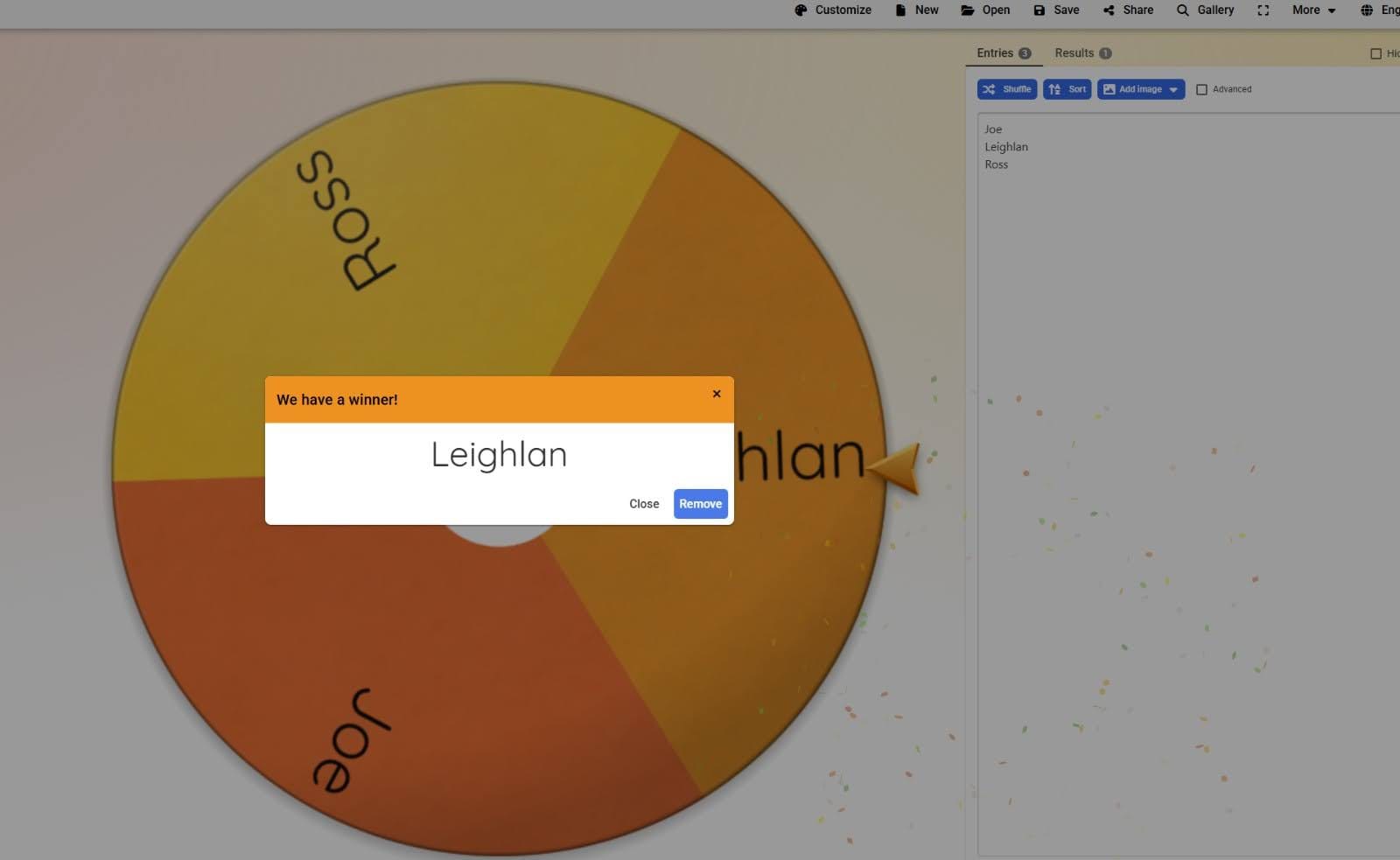
If you’ve played Fantasy Football, you know the drill: you draft a team, track their performance, and pray for no injuries. But Sumo brings its own unique flavor. In our league, we aren’t just fans; we are Oyakata (親方 – Stablemasters) managing a portfolio of six rikishi (力士 – wrestlers). We generally use a name selector [wheelofnames] and the order will be 1,2,3,3,2,1,1,2,3,3,2,1,etc.

The Draft: Building Your Stable and Choosing your Captain

Every tournament, the stables reset. Each player drafts a team of six rikishi, split evenly to reflect the traditional Banzuke (番付 – official ranking):

  • 3 East (東 – Higashi) Rikishi
  • 3 West (西 – Nishi) Rikishi
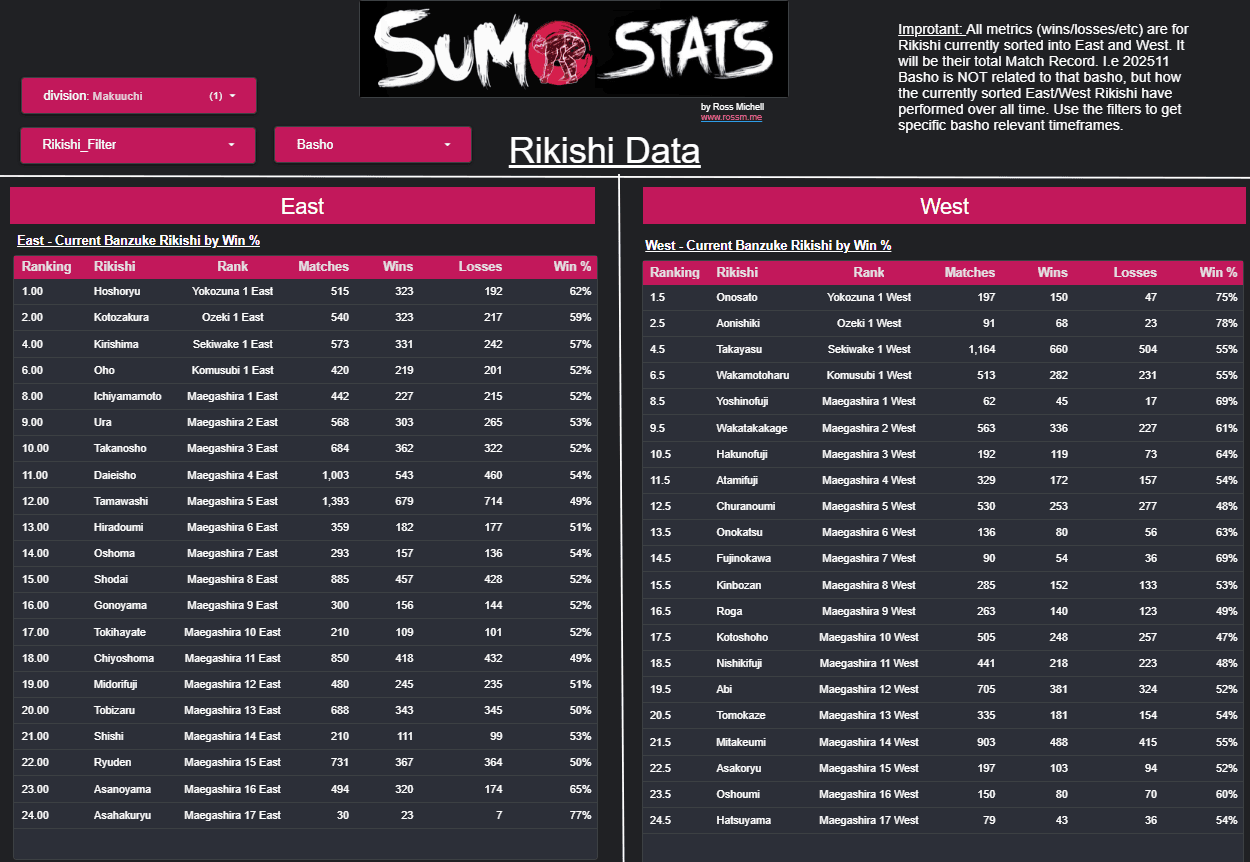
Similar to the real Banzuke:

Once the picking is finished, you must nominate one Captain. There is a strategic catch: your Captain must be a Maegashira (前頭 – the rank-and-file wrestlers). You cannot choose a top-tier champion (like an Ozeki or Yokozuna) to lead; you have to find the value in the mid-ranks.


How to Win: The Two-Fold Point Scoring System

Unlike traditional fantasy sports where you just aggregate points at the end, Sumo Stables is about consistency and daily performance. We use a layered scoring system.


1. Match Scoring

Each day, your rikishi enter the ring. A win by a regular stable member earns 1 point. However, your Captain is your “power player”—a win from them earns 2 points. All losses count as 0.


2. Day Points

At the end of each day, we compare our match scores. The player with the most wins for that day earns Bonus Day Points that add to their tournament total:

  • 1st Place: 3 Points
  • Tied 1st Place: 2 Points
  • 2nd Place: 1 Point
  • Tied 2nd Place: 1 Point
  • 3rd Place: 0 Points
 
3. Barnstorming (Handicapped)

A Barnstorm (全勝 – Zenshō) is when all six of your rikishi win their matches on a single day. To prevent the leader from running away with the tournament, this bonus is handicapped based on your current ranking:

  • If you are in 3rd place: +3 Points
  • If you are in 2nd place: +2 Points
  • If you are in 1st place: +1 Point

Note: If two rikishi from your own stable are scheduled to fight each other, that match is excluded from the Barnstorm calculation.


4. Tournament Bonuses

On the final day (Day 15), extra Bonus Day Points are awarded to stables holding the top achievers:

  • Tournament Winner: +3 Points
  • Prize Winner (Technique, Fighting Spirit, etc.): +1 Point
  • Kinboshi (金星 – A Maegashira defeating a Yokozuna): +1 Point
  • Winning Record (Kachi-koshi) per rikishi: +1 Point


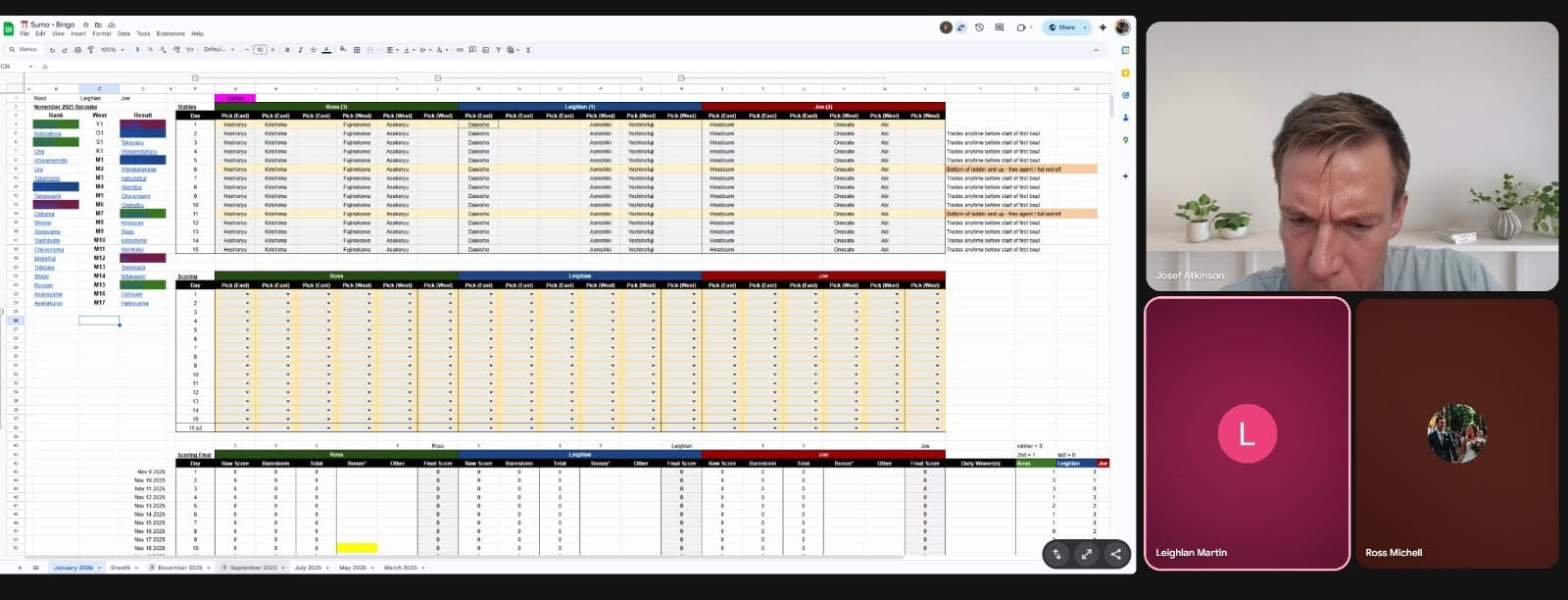
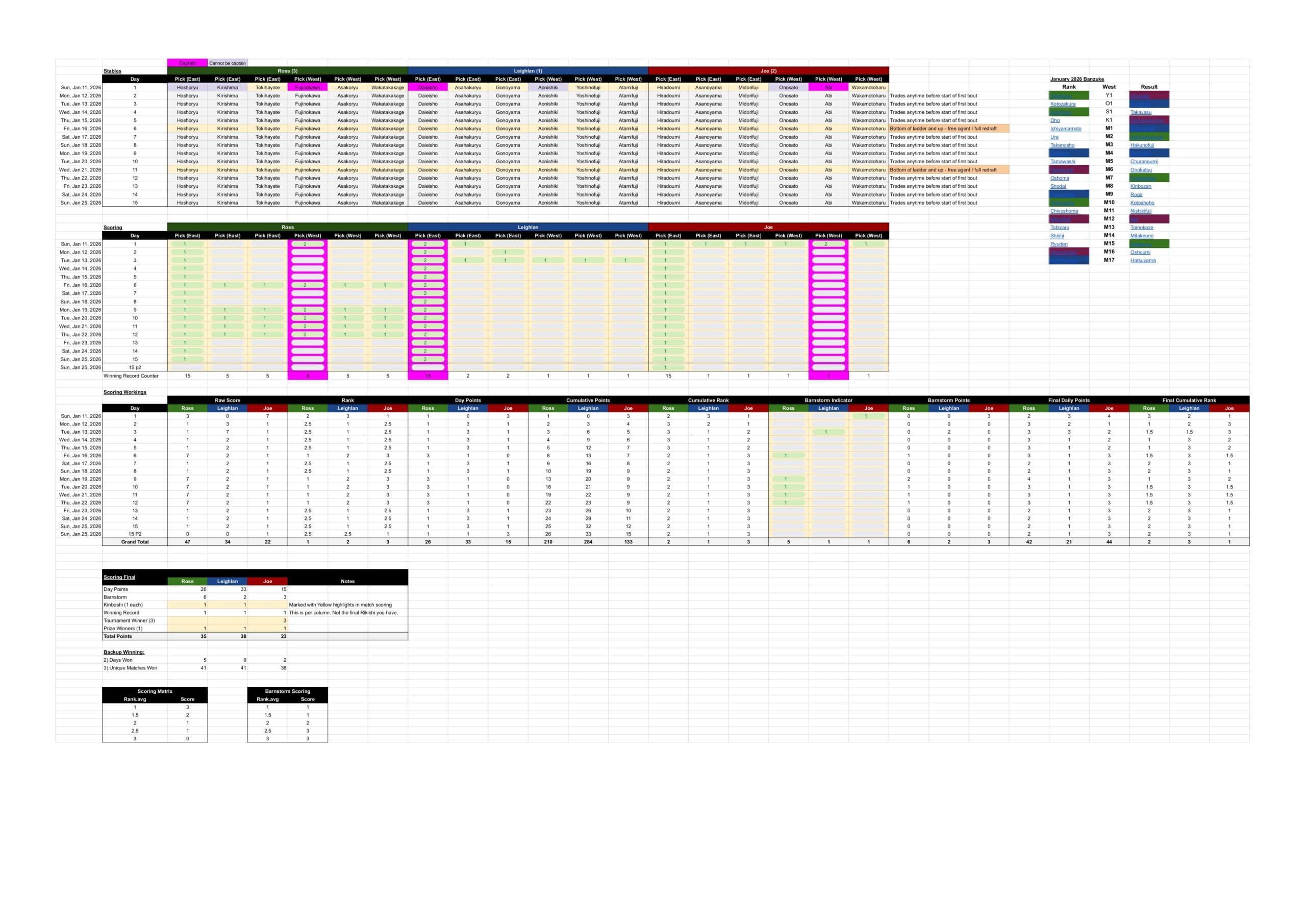
Jan 2026 - Sumo Stable Google Sheet

Trading: The High-Stakes Marketplace

Trading can occur regardless of whether a rikishi is injured. Our league allows for two types of movement:

  1. Free Agent Trades: On Day 6 and Day 11, players can drop a wrestler and pick up any “Free Agent” (a rikishi not currently in any other player’s stable). This is also the only time you can change your Captain.
  2. Player-to-Player Trades: You can negotiate trades between stables at any time before the start of a day’s bouts.
 

Replacements: Handling Kyūjō (休場)

Sumo is a physical sport, and injuries—or Kyūjō (休場 – absence)—happen. If your rikishi is injured, the rules are automatic:

  • You take the loss for that day (unless it is a fusenshō victory).
  • You then automatically take on the “Replacement Rikishi” (usually the highest-ranked wrestler in the division below, such as Juryo #1).
  • Once you have the replacement, you can trade them for a Free Agent on any day following the injury.
 

Part 2: The Fukuoka Forecast; Using Data for Stable Strategy

With the Sumo Stats dashboard in hand, our draft wasn’t just about picking names we recognized—it was about portfolio management. The data allowed us to spot the “Back-end Bandits” (rikishi who dominate the final week) versus those who start strong but burn out quickly. This insight is crucial for our trade windows on Days 6 and 11; if a wrestler’s performance trend is dipping, we swap them for a fresh Free Agent.

Another strategic layer was managing “In-fighting.” Because matches between your own stable members don’t count toward a Barnstorm bonus, we used the dashboard to ensure a varied draft. By picking rikishi across different rank clusters, we minimized the chances of our own team knocking each other out of bonus contention, ensuring maximum consistency across the 15 days.


Part 3: Showdown in Fukuoka; Who Won?

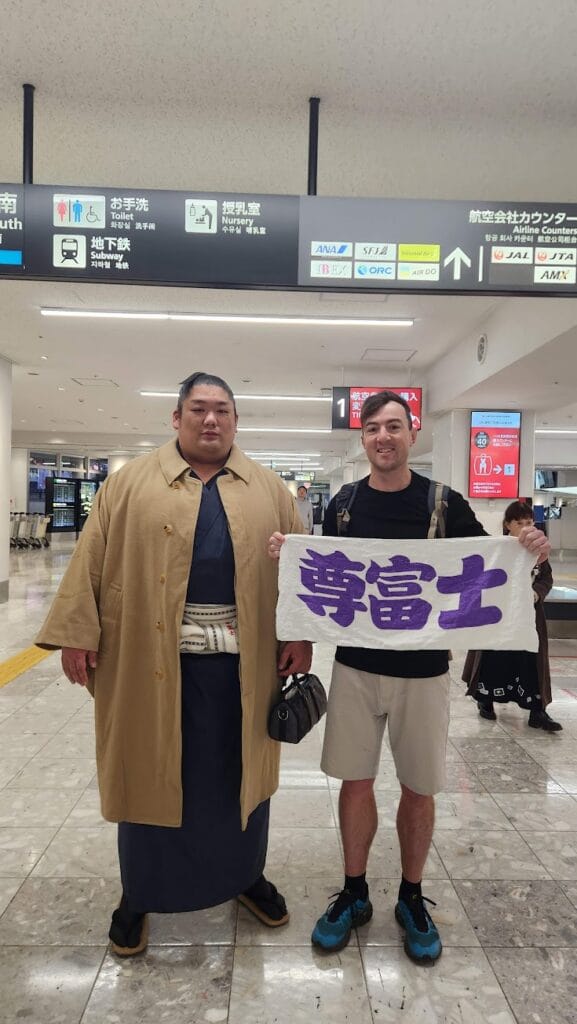
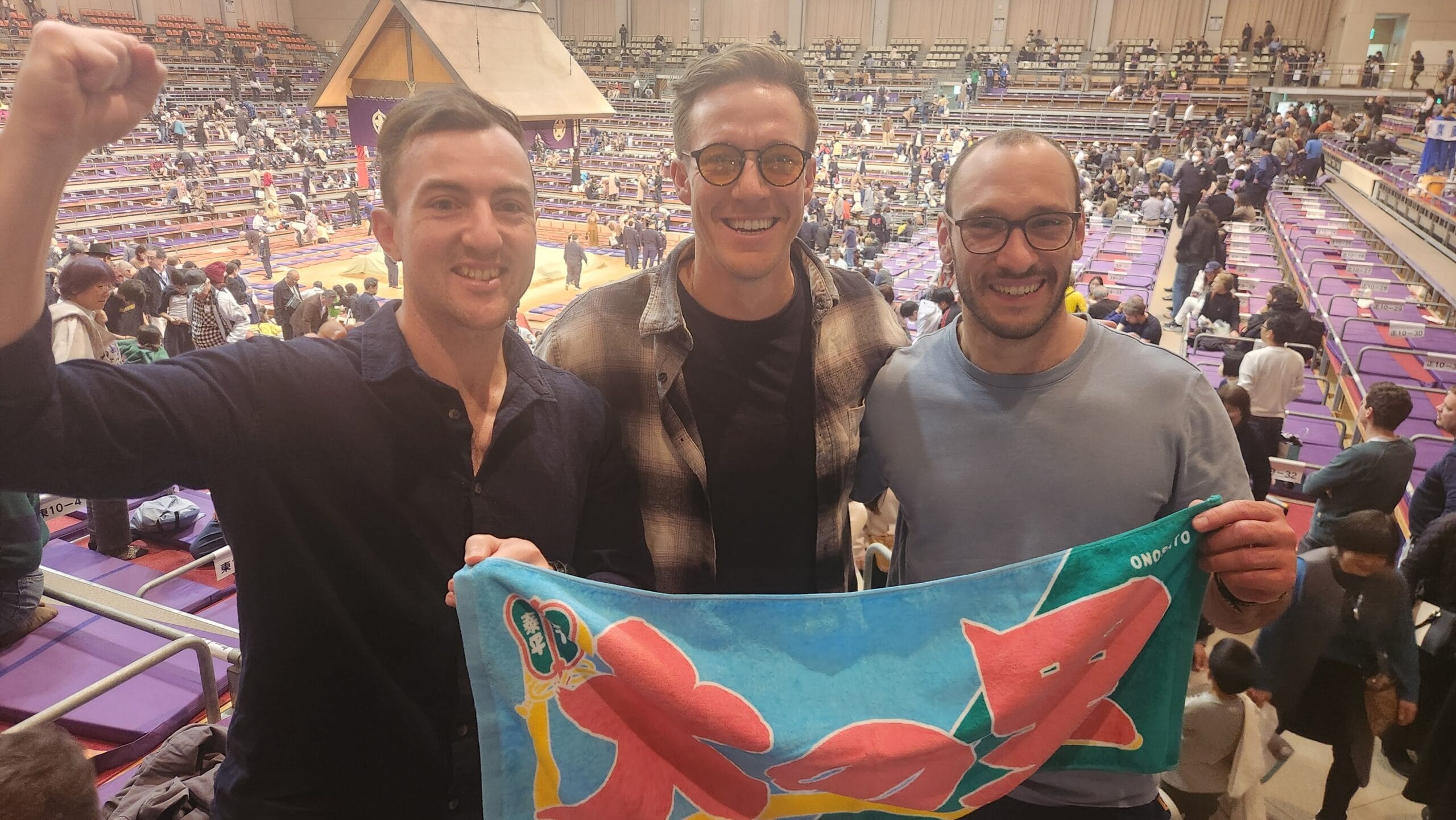
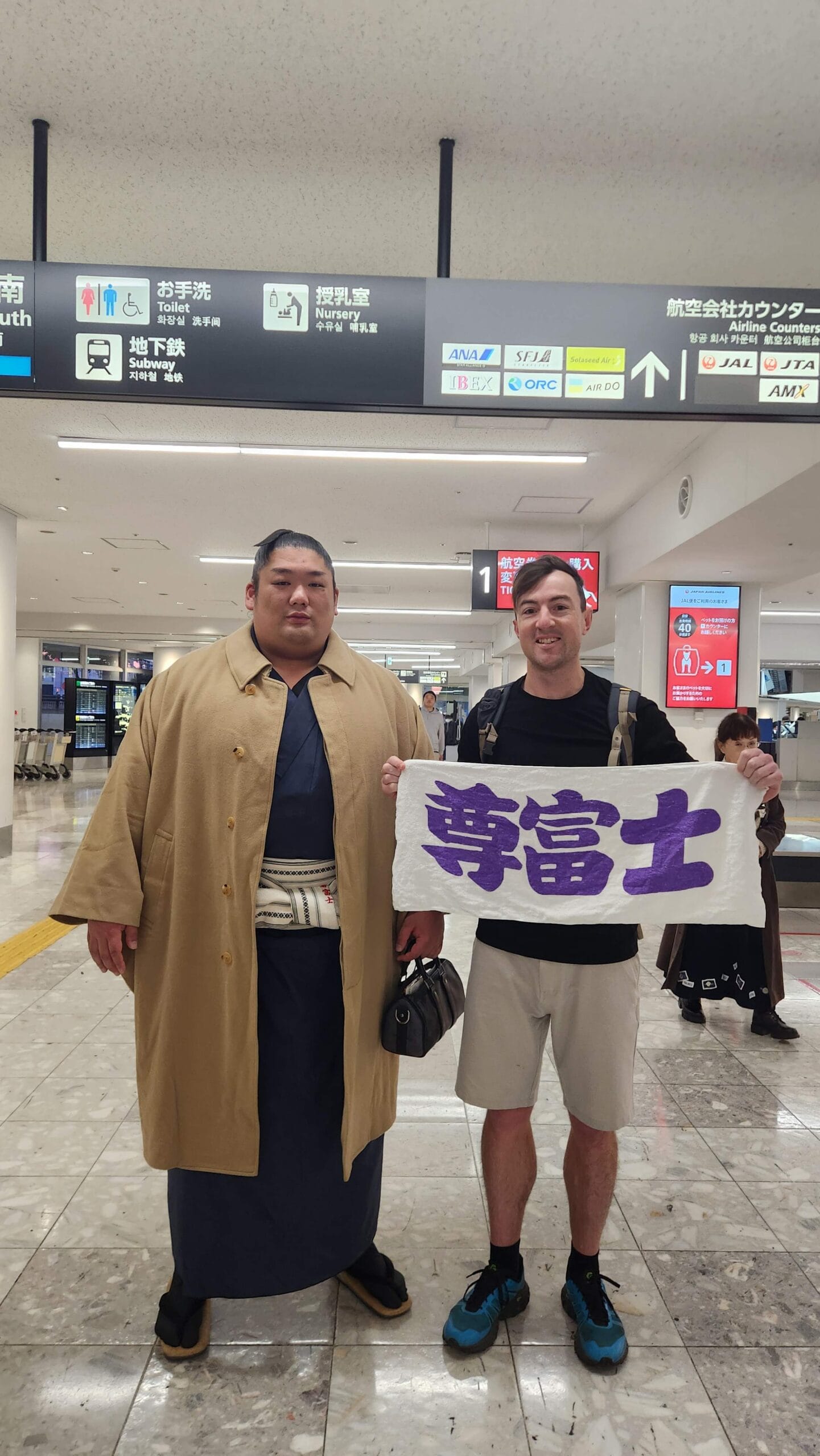
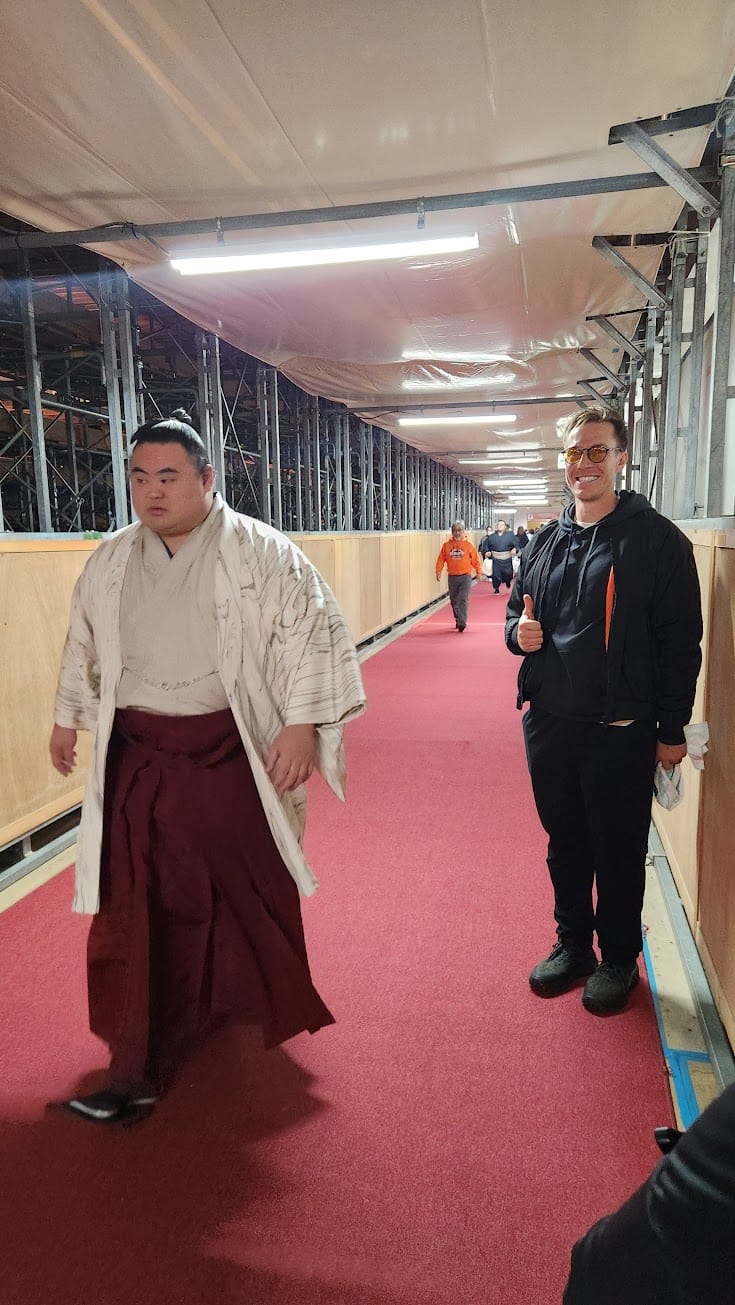
The competition wasn’t just digital. We headed to Fukuoka to witness the action live, managing to secure tickets for Days 6 and 7. There is nothing like the atmosphere of a live Basho, and we even managed to snag some shots with the “big dogs” like Takerufuji.


In the end, the inaugural Sumo Stables title came down to a nail-biting final day between Leighlan and me. Leighlan had been the model of consistency, racking up Day Points throughout the tournament. On the final Sunday, Aonishiki and Yoshinofuji secured me a mountain of bonuses, bringing the score within a hair’s breadth. But alas, no Chanpon (the celebratory feast) for me this time—Leighlan held on for the win.

Poor Joe, on the other hand, picked such a disastrous draft that he became the inspiration for our new Handicap Barnstorm rule. We realized that if someone falls as far behind as Joe did, they need a serious “catch-up” mechanic to keep the group chat interesting!


Conclusion: Refined in the Ring

Since this was our first official Sumo Stables match, we were essentially building the plane while flying it, making several rule changes on the fly. However, the experiment was a massive success. The combination of Python-driven data, a custom Google Sheets engine, and the raw energy of the Fukuoka tournament transformed us from casual observers into obsessed Oyakata (even the tour guide didn’t have the knowledge we had!). We’ll be back for the next tournament—sharper, data-richer, and ready for the draft.

Huge spoilers ahead….
One Piece Solved – The Final Theory: Global Union

👑 One Piece Solved – The Final Theory: Global Union

The final answer is not gold, nor treasure, but a ‘planetary reset manual’. The Elbaf Mural confirmed the war; this theory explains the mechanism of the world's rebirth.

For 800 years, the World Government has perpetrated the greatest crime in history. The One Piece is the knowledge needed to undo that crime and complete Joy Boy's promise. For 25+ years, I have been watching One Piece and only now have things started making sense for me to share with you.


I. The Solution: The "One Piece" World

The "One Piece" is not a treasure chest. It is a single, singular entity achieved by combining three elements, restoring the world to its original state:

  • Unity of the Seas (The All Blue): The destruction of the Red Line merges all four seas and the Grand Line into a single, contiguous ocean, fulfilling Sanji’s dream.
  • Unity of the Land & Peoples: The removal of the massive, artificial barriers makes all lands accessible and functionally connected, ending the isolation that breeds slavery and discrimination. This allows the Fish-Men to rise to the surface.
  • The Knowledge: The blueprints and prophecy left by Joy Boy on Laugh Tale explaining how to achieve this geographical revolution.
Concept art showing the All Blue vision.

II. The History: Sun Gods, Sea Gods, and the Clan of Dreamers

The foundation of the World Government lies in the Void Century (900–800 years ago)—an elemental war between two opposed ideals:

The Ancient Kingdom (The Will of D.)The 20 Kings (The Celestial Dragons)
Figurehead: Sun God Nika (Joy Boy), symbol of freedom and imagination.Figurehead: Imu (Umi), the hidden ruler, an anagram for the Japanese word for "Sea."
Ideology: Liberty, shared knowledge, and dreams. The "D" Clan were the Dreamers who willed the first Devil Fruits into existence.Ideology: Control, slavery, and stagnation. Imu represents the Sea’s wrath—the element that hates Devil Fruits and strips users of their freedom.

The Betrayal and the Savior

The 20 Kings were rulers of independent nations. When they formed the World Government:

  • 19 Kings abandoned their people and moved to Mary Geoise. The Nefertari D. Family was the only one to refuse.
  • Queen Nefertari D. Lily chose her people over godhood and is the true hero who scattered the Poneglyphs to preserve the truth for the future.
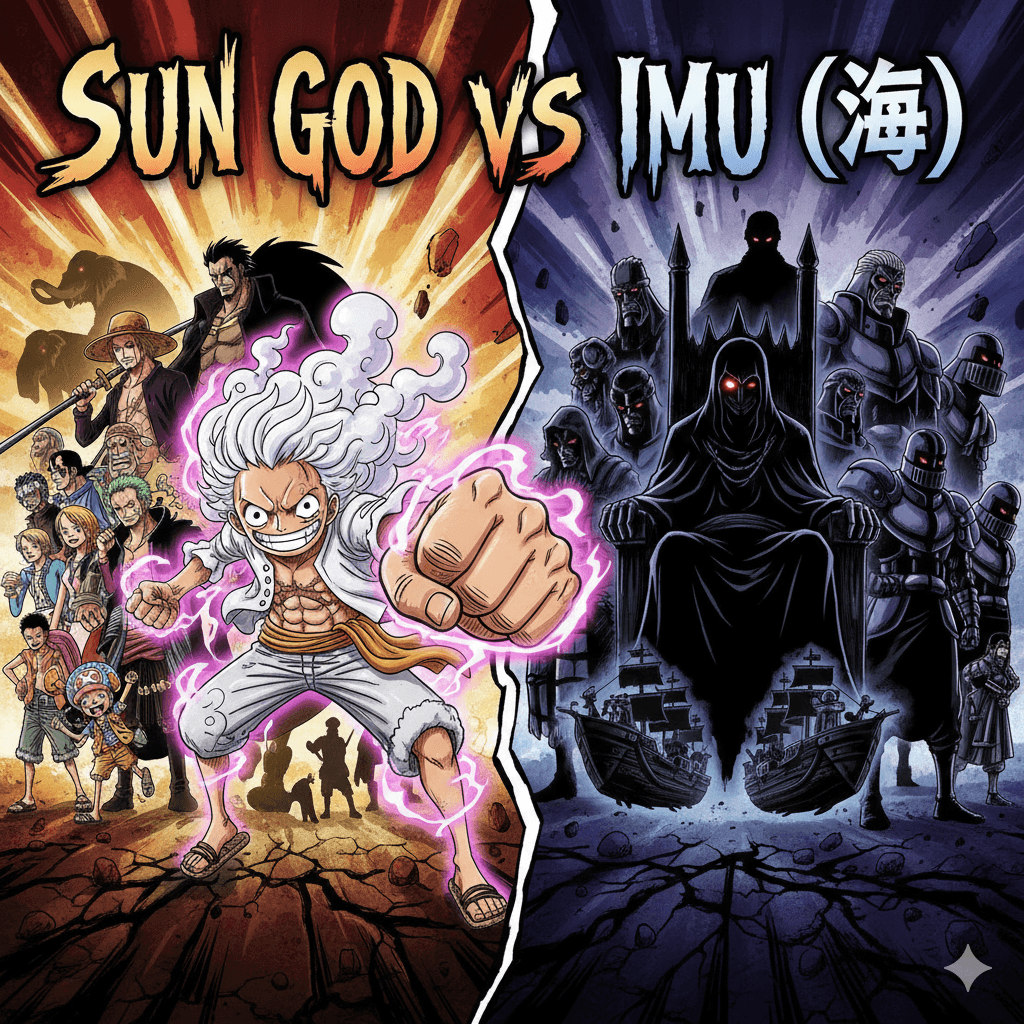
Conceptual art of Luffy versus Imu.

III. The Crime: The Great Division and Imu’s Immortality

The 20 Kings won the war by committing a planetary act of geo-engineering:

  • The Red Line Construction: They built the massive Red Line, which displaced the global ocean, causing a devastating Global Flood that drowned the Ancient Kingdom (evidenced by the underwater Old Wano).
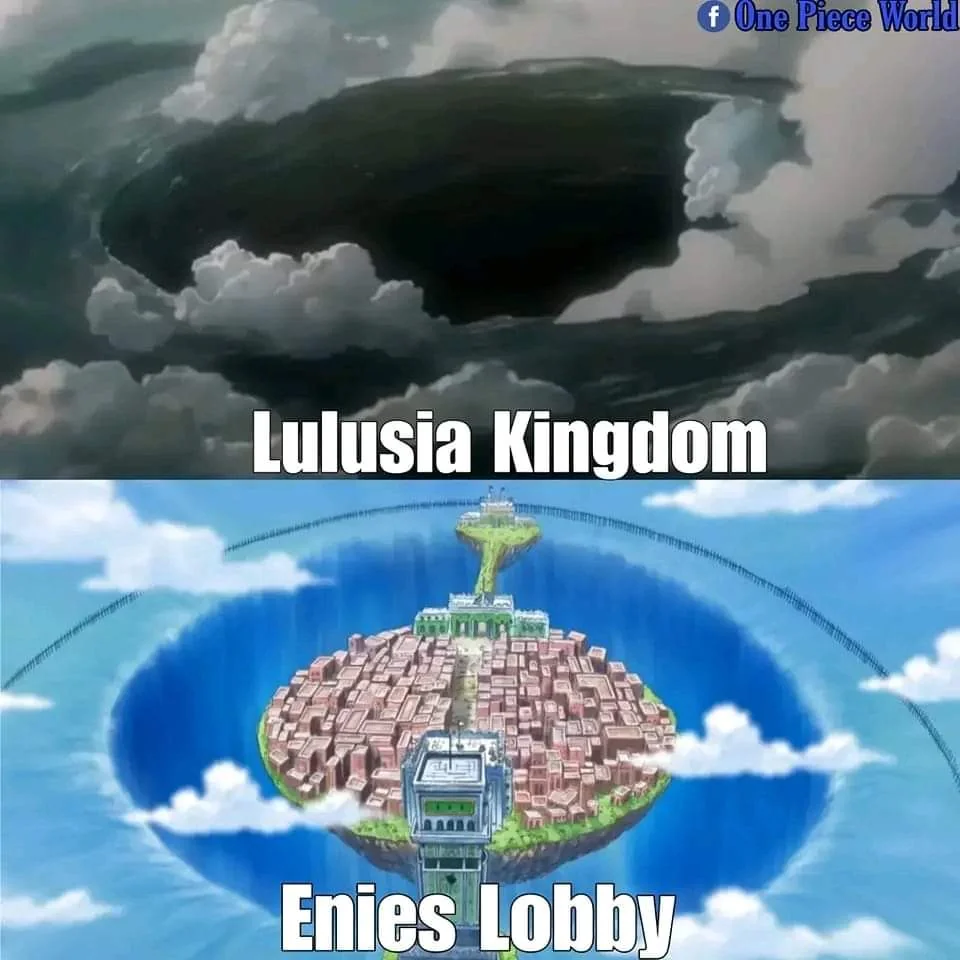
  • The Evidence: The massive hole under Enies Lobby is a scar of the earth-shattering weapons used. Furthermore, the Celestial Dragons wear scuba gear/spacesuits—visual proof they prepared for the water-world they created.
  • Imu's Eternal Rule: Imu survived by achieving immortality (likely via the Ope Ope no Mi’s Perennial Youth Operation). The Empty Throne is a symbol that no one rules, masking the reality that the same immortal tyrant has ruled for 800 years.
Image showing the current Wano Country on the surface.
Image showing Enies Lobby's hole and a destructive force reference.

IV. The Bridge: Gol D. Roger and the Call to Arms

Roger found the One Piece, the truth of the Void Century, and the necessary plan, but he couldn't execute it:

  • The Timing: Roger was terminally ill and discovered the "Two Sovereigns" prophecy. He was 20 years too early because the new Poseidon (Shirahoshi) had not yet been born.
  • The Martyrdom: His public execution was a calculated act to become a martyr and energize the world’s most determined spirits to find the knowledge and finish the plan he couldn't.

V. The Execution: The Trinity of Ancient Weapons

The plan requires a coordinated, planet-altering strike. The One Piece is the knowledge that explains how to activate the necessary Trinity of Weapons:

WeaponDomainFunction in the Final Plan
PlutonLand/EarthThe ultimate warship (Wano). Needed as the destructive force to physically breach and level the Red Line.
PoseidonSea/WaterThe Mermaid Princess (Shirahoshi). Needed to command the Sea Kings to stabilize the massive oceans and rescue people during the cataclysm.
UranusSky/AtmosphereThe weapon of the skies (Likely related to Moon/Fairy Vearth technology). Needed to counter Imu’s power and control the atmosphere and global weather chaos after the Red Line is destroyed.

VI. The Wildcards: The Final Factions

Luffy and Imu are not alone. The final act involves powerful forces vying for the future:

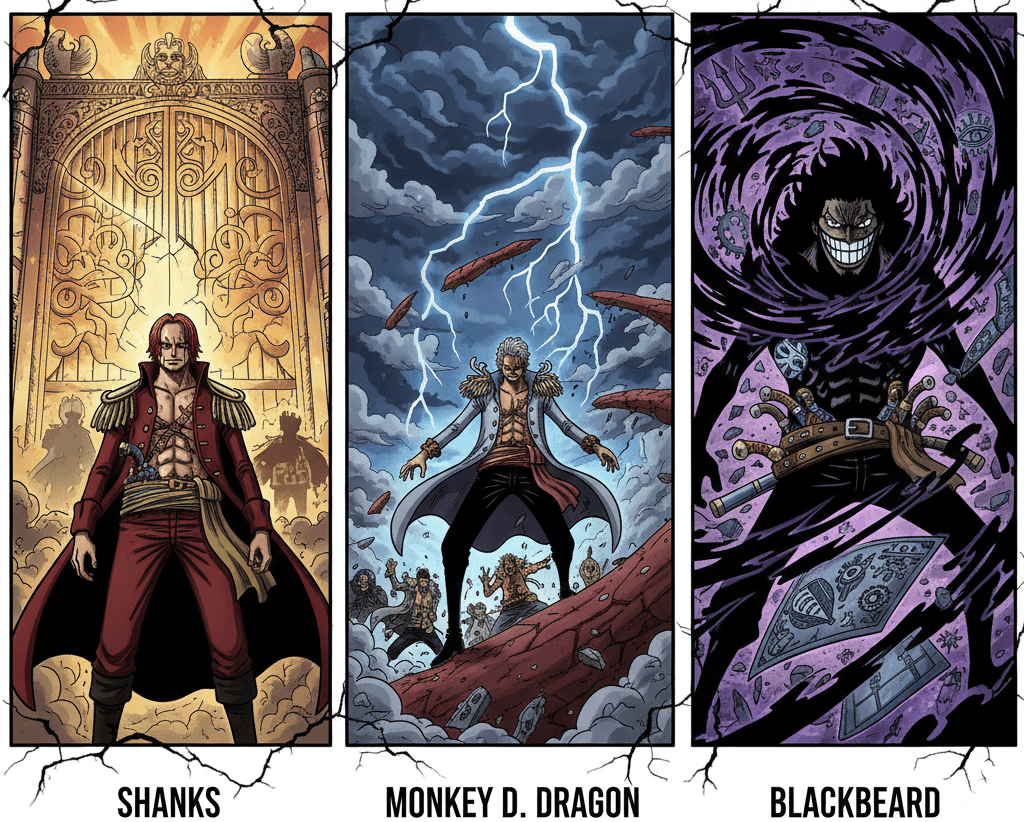
  • Shanks (The Double Agent): By blood, he is a Figarland (Celestial Dragon lineage), but by heart, he carries the Will of D. He is the ultimate Gatekeeper, ensuring the world stayed stable until Nika (Luffy) was ready.
  • Monkey D. Dragon (The Storm): Dragon leads the Revolutionary Army. His role is to initiate the Initial Breach and Diversion on the Red Line to draw out Imu's forces, allowing Luffy’s fleet to execute the main strike.
  • Blackbeard (The Chaos): He represents the Void. While Luffy is the Sun and Imu is the Sea, Blackbeard is the destructive singularity. He is racing for the Ancient Weapons to bring about his own chaotic end.
  • Sun Tree Eve (The Life Support): This colossal tree was likely engineered by Joy Boy's allies to sustain the Fish-Men civilization by channeling light and oxygen 10,000m underwater after the Global Flood. The successful execution of the One Piece plan (dropping sea levels) will make the tree obsolete, leaving it as a monumental symbol of oppression overcome.
Conceptual art of Blackbeard, Shanks, and Dragon.

Conclusion: The Dawn

The evidence is overwhelming. The One Piece is not a battle for gold or treasure, but who can control the planet's destiny.

Roger laughed because he saw the funny story of a man who was 20 years too early but set the perfect stage for his successor.

"Inherited Will, The Flow of Time, and The Dreams of People—as long as people yearn for freedom, these things will never cease!"

Luffy is the embodiment of that yearning. His final adventure isn't about finding the treasure; it's about using it to tear down the repression of the World Government and Nobles System this will then unite the world, Seas, peoples and cultures.


What do you think? Does the scuba gear theory convince you? Let me know in the comments!

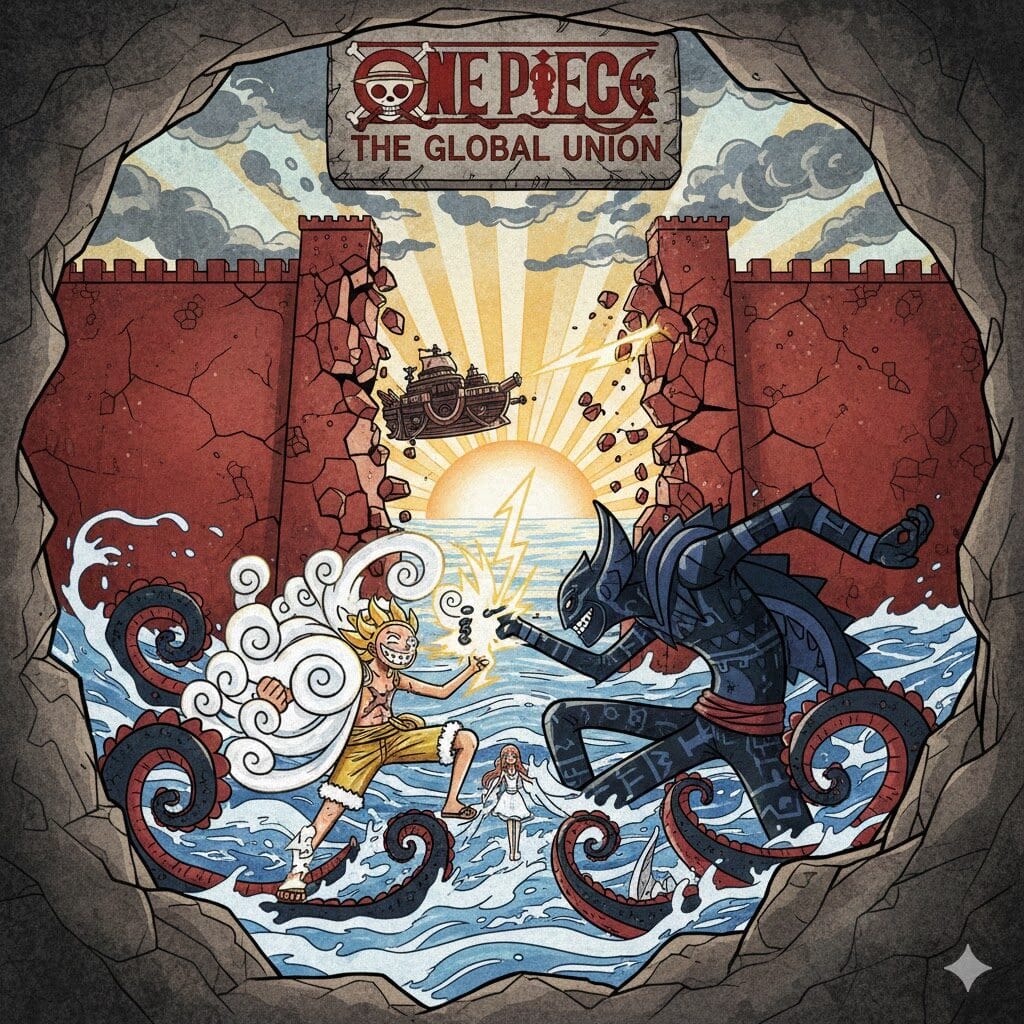
One Piece fan art or promotional image.

From Finance Analyst to Sumo Data Master: Building a Sumo Dashboard for the Fukuoka Tournament

TLDR: I’m a finance analyst who knew zero Python, but I used Gemini to write all the code, connect to a public Sumo API, and build a clean, simple data dashboard called Sumo Stats. I made it so my friends and I can analyze unique stats—like how small rikishi beat giants but lose to mid-weights—before our trip to the Fukuoka Grand Tournament!

The Arena of Inspiration: Why I Built a New Sumo Dashboard

As a Finance Analyst, I live in spreadsheets, pivot tables, and dashboards. My world is about taking complex data, finding the patterns, and presenting a clear story. Recently, my interest shifted from quarterly earnings to rikishi (Sumo wrestlers).

This November, my friends and I are heading to Japan to see the final Grand Sumo Tournament (Basho) of 2025 in Fukuoka! We’ve all recently gotten hooked on the sport, and naturally, our group chat exploded with stats and predictions.

I started looking for online dashboards we could use to easily track our favorite wrestlers and make informed predictions. What I found was often overly technical, cluttered, or just not user-friendly.

I didn’t need a complex academic tool; I needed a simple, clean dashboard that anyone in our group could use to see the unique factors—height, weight, and winning techniques—that influence the bouts. I wanted to share something easy for my friends to get excited about, and I wanted to learn to use coding in the process.

AI: The Ultimate Code Shortcut

My biggest obstacle was simple: I had strong analytical skills from my finance background, but no way to actually obtain the historical Sumo data. The solution came when I found a public Sumo API. The data was available; I just needed a way to ask for it. I decided to treat this project as my personal coding crash course, with Gemini as my technical co-founder. I didn’t master Python; I used AI to write the Python. I’d give it the prompt: “Connect to the data source, extract the entire history of bouts, and save it to a CSV file.” My ‘Aha!’ moment came when I successfully ran that first major extraction, seeing thousands of bout records instantly appear in my Google Drive. The barrier was broken, and I knew I could build a simple, powerful tool for the Fukuoka trip!

The Sumo Stats Pipeline: From Raw Data to Live Dashboard

Using my finance background in process design, I structured the data pipeline:

  1. Extraction: Python code (written by Gemini) connects to the Sumo-API and pulls the raw data as a CSV.
  2. Automation: I upload the CSV to Google Drive. Gemini then helped me write an App Script that automatically imports and updates the data into Google Sheets, keeping the dashboard current!
  3. Visualization: I imported the data from Google Sheets into Looker Studio (Google’s dashboard tool), where I applied my analyst skills to design the visual layout—simple, clean, and focused on our key questions.

Sumo Stats is Born! Unique Insights for the Fukuoka Draft

The power of this dashboard lies in the unique insights we can now use to impress (and probably annoy) each other with predictions during the Fukuoka tournament. Plus, these stats will be critical for the Sumo Stable/Draft we’re planning, complete with trades and replacements throughout the tournament!

Here are a couple of my favorite findings so far:

  1. Height and Weight Match-up Dynamics: It’s not a simple case of “heavier is better.” I found that the small rikishi actually perform quite well against the very heaviest opponents, often outmaneuvering them. However, they tend to struggle the most against the medium-weight wrestlers, who seem to possess the perfect balance of mass and agility to counter them. This discovery proves that it’s not just about size; it’s about the match-up dynamics.
  2. The Daily Bout Winning Trend: By analyzing daily win/loss ratios across tournaments, I noticed a fascinating trend: some rikishi are truly “morning fighters” or “closers.” Certain wrestlers do exceptionally well on the early days of a tournament but fade later, while others are slow starters who dominate the final weekend. Tracking these patterns will give us a huge edge in our Stable/Draft picks!

The dashboard also provides deep dives into Kimarite (winning techniques) ratios, allowing us to see which technical moves are the most reliable. We’re going to be the most prepared group heading into Fukuoka!


Your Skills Are Transferable: A Call to Action

I started this project to create a simple tool for a trip with friends, with zero confidence in my coding ability. I finished it with a live, sophisticated dashboard and a newfound appreciation for what I can accomplish with AI assistance.

This journey is proof that:

  1. Your professional skills are powerful, and they are transferable.
  2. AI is an indispensable tool for turning personal ideas into reality.
  3. You can and should use AI to adapt the skills you already have to new challenges!

If I can use my skills in SQL, pivot tables, and financial analysis to build a sophisticated Sumo dashboard, imagine what you can build by applying your expertise to your own passion project. Go find your AI co-pilot, and start building!

Sumo Stats Dashboard

Welcome to the dashboard! This tool is designed to provide a comprehensive and unique perspective on professional Sumo, moving beyond simple win/loss records to analyze the key physical and technical factors that influence match outcomes.

I became interested in Sumo Wrestling recently and always enjoyed looking into the statistics and bouts. I saw some solutions for this online but never one that really was a good fit for purpose. I don’t know any code, but with the help of my good friend Gemini, I was able to build this dashboard. I have applied the skills in dashboarding (although I was unfamiliar with Looker Studio) from my experience as a Financial Analyst to visually represent the data and insights. I hope you enjoy! A full blog post to come on the effort and skills I had to use in creating this dashboard [From Finance Analyst to Sumo Data Master: Building a Sumo Dashboard for the Fukuoka Tournament]

A big thank you to https://www.sumo-api.com/ for providing a way for me to bring this to life.

Native link here: https://lookerstudio.google.com/reporting/22b652fc-0032-4890-b47a-142990181a6c

Full Dashboard

[Spoiler Alert] Stormlight Archive Books 6-10

Introduction

: The rhythm of my feet hitting the pavement has become synonymous with the voices in my ears. Running is my meditation, my escape, and often, my classroom. When people ask what occupies my mind during those long miles, the answer is usually podcasts. And within the vast landscape of audio entertainment, fantasy reigns supreme for me. It was a recommendation from a good mate that first introduced me to the monumental Stormlight Archive. From the moment I cracked open (in Audible) The Way of Kings, I was utterly and irrevocably hooked by Brandon Sanderson’s intricate world-building, compelling characters, and the sheer scope of the Cosmere. It felt like discovering a hidden continent on a well-loved map.

Fast forward a bit, and another friend, Leighlan, also succumbed to the allure of Roshar. Serendipitously, we both independently stumbled upon the fantastic podcast, Lost in Roshar. Listening to their deep dives into The Way of Kings, their insightful theories, and their palpable enthusiasm was like finding fellow travelers on this epic journey. We’d eagerly tune in, soaking up their analyses and then bouncing our own nascent ideas around. As the anticipation for Wind and Truth built, we decided to embark on a similar read-through experience ourselves. Every couple of days, we’d connect, dissecting chapters, sharing our reactions, and venturing down the rabbit holes of Cosmere speculation.

Key Takeaways from Our Stormlight Journey

This shared reading experience with Leighlan turned out to be more profound than I initially anticipated. It wasn’t just about discussing plot points or character arcs; it became a genuine point of connection. It stirred up a powerful sense of nostalgia, reminding me of those cherished mornings as a kid, glued to the television for the latest episode of Dragonball Z, and the immediate rush to school to dissect every moment with my mates. There was a shared excitement, a collective anticipation that felt almost communal.

In a way, I think the immediacy and solitary nature of streaming services have, in part, eroded this kind of shared cultural experience. While convenient, it often lacks that delayed gratification and the subsequent eagerness to discuss and theorize with others. Our Stormlight read-through brought that back – the anticipation between our check-ins, the excitement of sharing a particularly impactful scene, the collaborative brainstorming of “what comes next?” It was a reminder of the simple joy of experiencing something amazing alongside a friend and the richness that shared speculation can bring. This is definitely a tradition I’m keen to continue as we delve into the next five books (one day…).

Tin Foil Theories and Spoilers for Books 6-10

(The following section is adapted from an email Leighlan and I sent to the awesome folks at Lost in Roshar.)

G’day Fellas,

We are humble Aussie mates who independently found your podcast and have turned into epic fans. Your podcast has been an absolute blast to listen to. We both devour your theories and predictions, and the way you dissect every detail of the Stormlight Archive is truly impressive. Your enthusiasm is infectious, and it’s inspired us to start having similar discussions and ‘check-ins’ with each other as we read through Wind and Truth together. It’s been a fantastic way to enhance the reading experience.

Our Predictions that came (mostly) true in Stormlight 5: We’ve been reflecting on our pre-Stormlight 5 theories, and we’re pretty proud of these predictions that came (mostly) true:

  • Dalinar the Unmade: I will admit, this one was a big tin-foil theory at first. Dalinar would lose the contest, and Odium would make him the 10th Unmade. This would break the bond Honor had holding Odium to the Rosharan system. Book 5 would end with Odium being the bad guy of the whole Cosmere.
  • Listeners (Venli) taking up Odium’s power and that it was always in the shattered plains.
  • One that was an absolute failure: Syl was the author of Wind and Truth.

Stormlight Archive Books 6-10 Spoilers: We’ve been brainstorming some crazy theories for Books 6-10, and we wanted to share a few with you (brace yourselves!):

  1. [Death Rattle] I climb! I climb the wall of grief toward the light, locked away above! I climb, the weight of my darkened twin on my back, and seek the captive! The light I love! I … Storms … the light I love! This relates to Dalinar & Blackthorn: This Death Rattle could foreshadow Dalinar’s internal conflict as he grapples with the weight of his past sins and the immense pressure of leadership. He may have to confront a “darkened twin” within himself, perhaps a manifestation of his past rage and violence. The “light” could be Evi, as he turns towards redeeming his past sins. In this scenario, Adolin, picking up Nightblood in Shadesmar (which appears “shiny” in that realm), regretfully finishes off Dalinar, ultimately forgiving him.
  2. Connection to Scadriel: With Roshar in fast-motion and all other Cosmere at a ‘normal’ speed. Was this done by the other Shards to give themselves more time (as Dalinar had said)? Will doing this lead to a connection of timelines? The theory posits that Roshar is currently operating in fast-motion compared to the “normal” speed of other Cosmere worlds. This acceleration may have been intentionally orchestrated by the other Shards to buy themselves more time, as Dalinar had previously speculated. This accelerated timeline could potentially lead to unforeseen connections and disruptions across the Cosmere. Cultivation gathers the other Shards, but this unification leads to a split within the group, creating factions. For example, Cultivation and Harmony might align, while Retribution and Autonomy form a separate coalition.
  3. The End of Odium: The other Shards may hold the Kharbranth people hostage to force Taravangian/Retribution’s hand. Retribution plans to double-cross his own coalition. Witnessing the ensuing destruction, Honor may renounce Taravangian and bring the power of Stormlight back to Roshar. Splinters of Shards, even after the Shards themselves are involved, retain a degree of independent power. These shards and their splinters might “unite” towards a common goal. They could potentially “pause” or distract Odium while the other Shards prepare a powerful, Cosmere-wide attack, perhaps akin to a “Spirit Bomb” from Dragon Ball Z.

Roshar Joke

What did the one-armed Herdazian say to the peg-legged Alethi? …… I dunno, I’m Stumped!

Thanks again for all the amazing content, Lost in Roshar. We can’t wait to see what crazy twists and turns await us in the remaining Stormlight books. We are both big Jimmy fans and can definitely relate as we both feel like we are holding onto our oath stones as we stumble our way through Roshar. You will be missed. Storm Bless you both.

Keeping our safehands covered,
Radiant Ross and Listener Leighlan

Down Under Diaries: Seattle Year One – An Aussie’s Honest Take

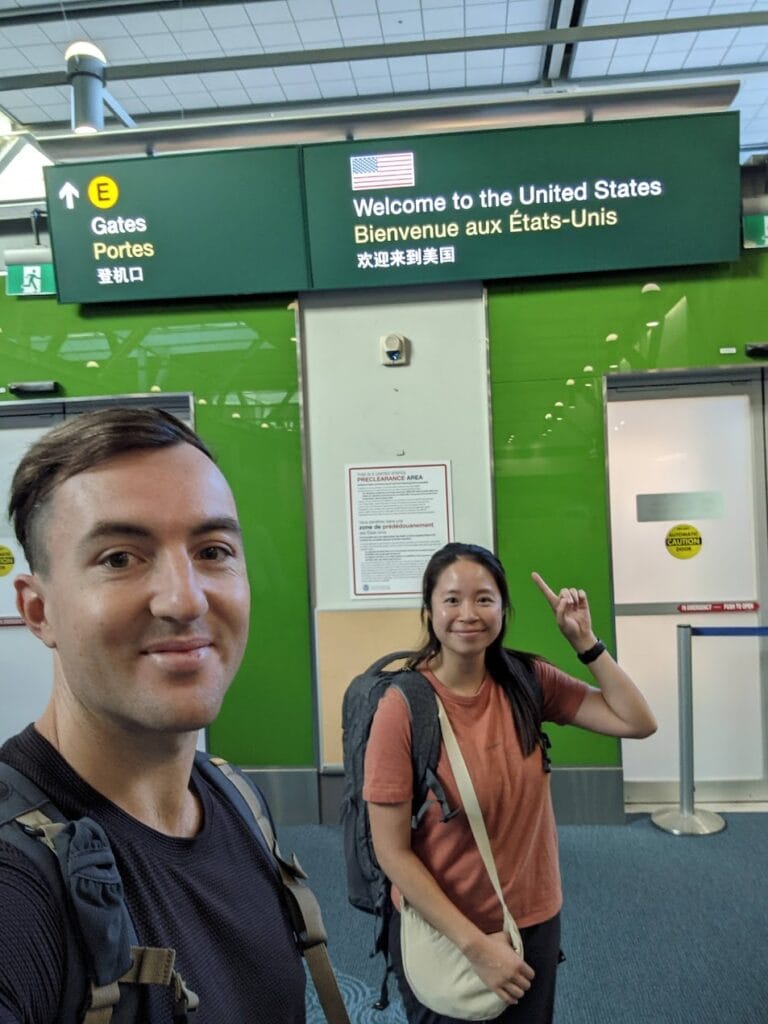
G’day, folks! So, me and the missus, we’ve been living in Seattle, Washington, for a year now, after chucking a sickie to leave sunny Oz. It’s been a real eye-opener, a proper mixed bag, ya know?

The Good Oil:

Everything’s Fair Dinkum New: From seeing snow (a bloody novelty!) to exploring all these new spots, it’s been a ripper adventure.
National Parks? Bloody Oath!: Crikey, these national parks are somethin’ else! We’ve hit up Yosemite, Zion, Olympic, Rainier, and Bryce Canyon. As a trail runner, it’s like winning the lotto. The scenery’s bonza, absolutely unreal.
What’s On? Heaps!: There’s always somethin’ happenin’ here. Gigs (Killswitch Engage, Motionless in White, the lot), sports (still barracking for the NRL, mind you), races, events – you name it.
Work’s Sweet: The pay’s decent, and there’s heaps of opportunities in my field. Can’t complain!
Weather? She’s all good mate: Was expecting constant rain and cold when we first thought of moving here,  but it’s actually sweet as.

The Not-So-Good Bits:

Tipping? it bloody sucks: Yeah, this tipping thing’s still a bit of a head-scratcher. Still tryin’ to get my head around it.
Social Issues? Bit Rough: Homelessness, social security, and safety – it’s a bit confronting, to be honest. Redmond’s alright, but downtown Seattle and other places are a different story. Found a bloody gun in an iHop, and saw someone who’d probably overdosed on a morning run. Bit of a shocker.
People? A Bit Stand-Offish: People aren’t as friendly as back home. On the trails, you’d usually get at least a nod, but here? Forget about saying g’day. Maybe it’s just a city thing.
Prices? Bloody Expensive!: Eating out? Jeez, it’s pricey. Makes ya miss the local pub feed and a $5 schooner.
FOMO? Bit of a Pisser: The “fear of missing out” thing, especially with trail running races, is a pain in the backside. Getting into those big races like Hardrock or Western States is near impossible.
Missin’ the Mates: Being away from family and mates is tough, no doubt about it.
Public Transport? A Bit Rubbish: For a place with all that railroad history, the public transport system is a bit of a letdown.

The Bottom Line

It’s been a bloody rollercoaster, this first year in Seattle. We’ve had some unreal experiences, and we’re still getting used to the place. We’re grateful for the opportunities and adventures, and we’re just takin’ it as it comes. And that’s the bottom line, cause Stone Cold said so!

My First Hyrox: Guadalajara - Tough, Fun, and Definitely Doing it Again!

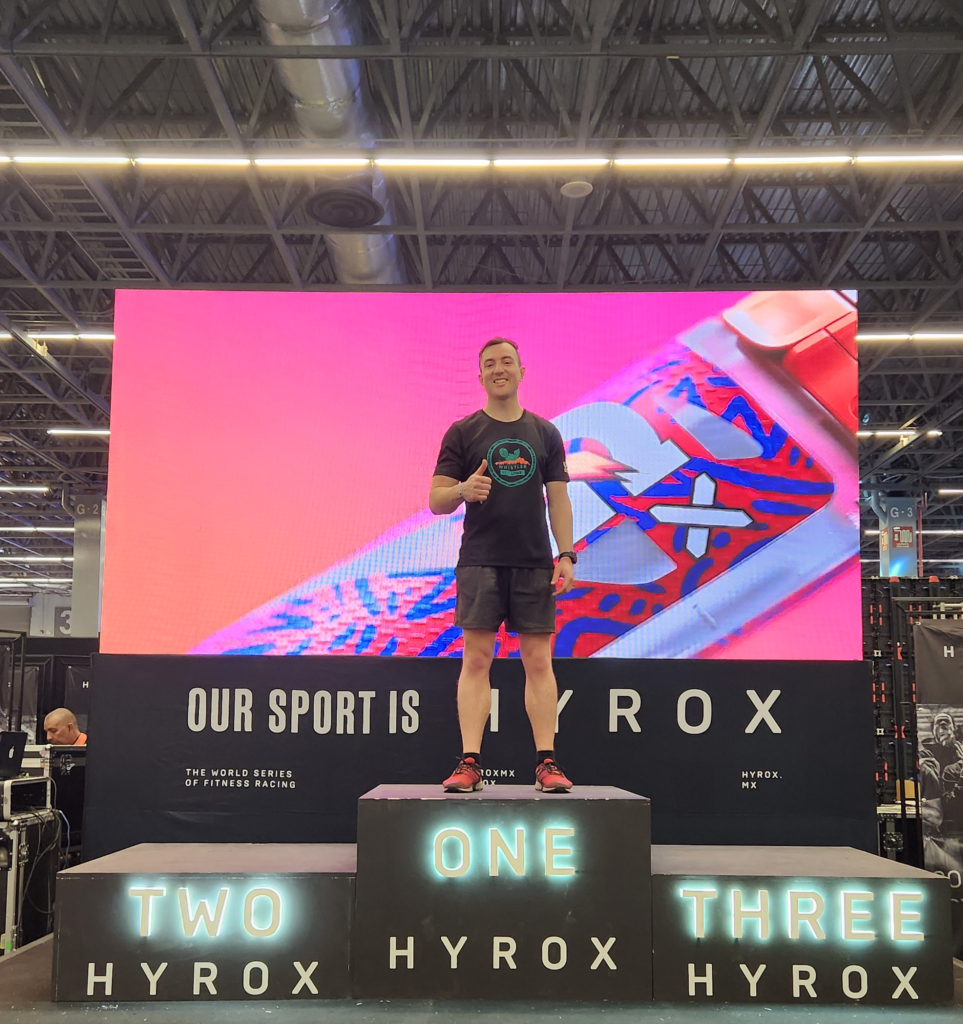
Just finished my first Hyrox event in Guadalajara, Mexico on February 8th, 2025, and wow, what an experience! If you’re thinking about giving Hyrox a go, let me tell you a bit about it and why I think you should absolutely take the plunge.

Training? Not So Much…

Okay, so let’s be honest, my training for this event was… minimal. I’d dabbled in some gym trials, but nothing Hyrox-specific. Living in Seattle hasn’t helped my running game lately with the cold weather making it tough to get motivated. In hindsight, a practice run in the weeks leading up would have been a smart move, but lesson learned for next time!

Baptism of Fire in Guadalajara

“Tough” doesn’t even begin to cover it! This event was a real eye-opener. It was my first time encountering some of the Hyrox stations, like pushing and pulling that monstrous 150kg sled. Let me tell you, adding in the ball throws to basketball height and running between stations really ramps up the challenge.

Despite the toughness, it was genuinely a lot of fun. There’s a real sense of accomplishment crossing that finish line knowing you pushed yourself.

Burpees: My Nemesis

If there was one exercise that truly tested me, it was the burpee broad jumps. 80 meters of those bad boys sent my heart rate through the roof! It took a while to bring it back down after that station. Definitely going to be practicing those before the next event.

Would I Do it Again? Absolutely!

Despite the struggles and feeling completely wiped out afterwards, I’m already thinking about the next one. I’d 100% recommend anyone reasonably fit to give Hyrox a crack. It’s a fantastic challenge and a great way to test your overall fitness.

Room for Improvement

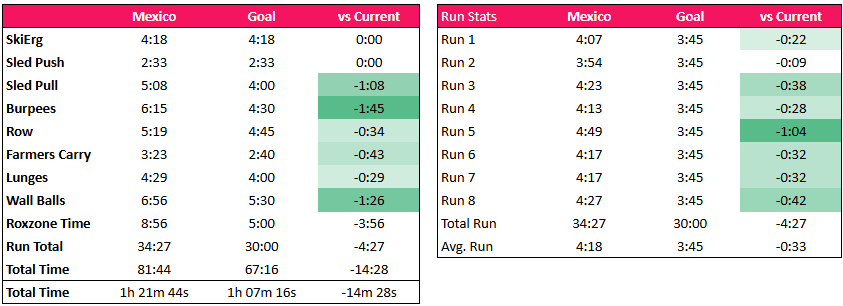
I reckon with some proper, structured training, I could shave off a good 10 minutes from my time. That would still leave me miles off the pros, but it’s a personal challenge, right? The main thing is to improve and see what I’m capable of.

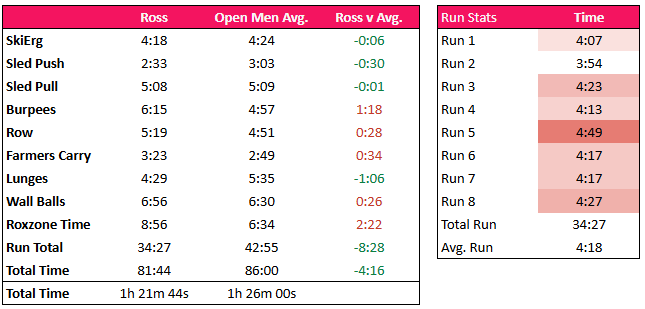
My Results

Goal Times

Final Verdict

Hyrox Guadalajara was a fantastic, albeit tough, experience. It’s a great event, and I’m already looking forward to the next one with some serious training under my belt. If you’re looking for a fitness challenge that’s both physically and mentally demanding, give Hyrox a go – you won’t regret it!

Making the Most of Now

It Scares me….
  • Have you ever looked back and wished you’d taken that trip or finally tried that new hobby?
  • How do you know if you like something if you’ve never tried it?
  • What on earth are you waiting for?

Why do people wait until they are ‘retired’ to travel. I don’t know… I think it’s backwards and an unbalanced way of living. All too often, we hear heartbreaking stories of people’s carefully planned lives being cut short by illness, accidents, or other unforeseen circumstances. This begs the question: why wait for the “magical” retirement age of 65 to experience life? Why not start now?

I would think I’m a pretty out there person, squeezing in a lot of things, but I still think I have ways to go in fully committing. Upon realizing this, I’ve been all in for trying to get a solid job at a large multinational so I can expat around the world, trying new things and cultures. I see it as a part-time travel job with work to sustain the adventure. “Work to live, not live to work”.
 
From my first international trip back when I was ~19 years old, I realized how eye-opening and open the world can be. I probably didn’t (and still don’t) fully appreciate or endorse it all, but I know the opportunity is there. Trying new things and putting yourself out there. That’s why I am moving overseas – to live life in the fast lane, try new things, and most of all – to have no regrets.

Fired up! Get Some Go About ya!

So cool, I know I want to do something… But what is it and how am I going to make it happen?
1) Planning. As any good Finance person will tell you, success starts with planning. “If you fail to plan,you plan to fail”.
2) Execute: Make it happen. I’m not a humble guy… So I’m just going to say it, I’m good at this. I make things happen. I put plans on shared calendars, I book far ahead, I work through fatigue. YO to the LO.
3) Enjoying the moment and reflecting. An area I need to work on. Sometimes I’m too caught in 1 and 2 that it interferes with the moment.

My 2024 Travel Planning Map

14 July 2024 – Remembering Dad

My Memory of Dad

Good morning. Today we gather to remember a man who had a full heart for his family, a man of unwavering support and pride, and a man who embodied the spirit of adventure. Many here knew him as Peter, Pete, Pedro, Son, Brother, or Poppy. To my brothers and I, he was Dad.

Some of my earliest memories of Dad involve him coming home after a hard day on the tools at Michell Truck Bodies, smelling of welded metal and covered in black soot and grease. When we heard the old diesel Nissan Patrol roll up the driveway, we (the boys) would run like dogs for their owners returning home. His exhaustion would instantly vanish as we grabbed onto his legs, and he would walk up the driveway like a giant until he handed over our treat for the day. My favorites were the Kinder surprises or Yowies. We were even able to witness this in reverse in more recent years, as the grandchildren would run up the driveway and burst through the backdoor, screaming “Poppy” when they saw him at the back table.

Everyone here would remember Dad as a man who loved his footy and sports. We grew up playing a lot of sport, and he was always there to cheer us on at every game, match, and event. He would even provide us with a little monetary incentive by saying, “Every try (or goal) you score, I’ll give you $5.” This tradition carried on until his final days, where his youngest grandchild, Finn, scored five tries in a single game just a few weeks ago. He couldn’t believe his eyes as he was handed over five crisp $5 notes. He was ecstatic. Dad was an avid poster on Facebook and was proud to share the achievements of his kids (and grandkids). Only a few days ago did I realize just how proud he must have been of myself and family. Scrolling through his Facebook, I almost thought it was my personal fan page of my recent running adventures. It was then that I realized that I have not only lost my father but my number one fan and supporter. But I know he’ll still be cheering us on in spirit.

Dad always had a sense of adventure and would tell us about his big trip around Australia back in his glory days. I’d like to think this is where I have found my own sense of adventure. In more recent days, Dad would always be telling us about his new plans or showing us his latest bike riding adventures with Rick or Kevin or the rest of the gang. From crossing sketchy bridges to showing us footage where he or one of his mates had fallen off, no matter how rough the day or terrain, there was always one thing constant at the finish line: a hard-earned thirst and a big cold beer. And boy, did he love a big cold beer.

Dad’s life was cut short, but the memories of his love for family, his unwavering support, and his adventurous spirit will forever be a part of us. I’d like to finish on a lighter note on one last trait of Dad’s, even if it was a bit hit or miss: his humor. Even towards the end, in the cancer center receiving chemotherapy treatment, he had a sense of humor and would look on the bright side. The nurses would ask him, “How are you feeling today, Pete?” And every time, without fail, he’d reply back with “Like a Tooheys or two.” I hope everyone can remember Dad in the way he’d appreciate later today, with a Tooheys or two in hand.

Thank you (all for your support)

More Kind Words

Firstly, thank you all for coming. It is great to see so many of Peter’s family and friends here today.

My name is Michael and I am Pete’s proud brother-in-law.

Peter John Michell was a bloody good bloke…

Whether you called him Speck, Pedro, Peter John, or simply Pete, he was always ready to listen and to help anyone, especially over a beer. He was loved by all, as shown in the hundreds of messages on Facebook.

His favorite things in life were having a chat with a beer and a smoke, hitting a little white ball around a course (Member 1785 at Tamworth), riding his beloved motorbike with mates Rick Maher, Kev Cameron, Phil Orman, or the Froud Brothers, or best of all, spending time with family and especially his grandchildren.

Pete was born on the 4th of July 1963, and it was no coincidence that he was born on Independence Day as independent as he was!

As a little boy, he tested his mother’s well-known patience by being the first to jump off the 10-foot cabana into the pool or climbing, as quickly as he could, to the top of the radio antenna at Railway St. A larrikin he was.

Pete loved music and he bought many a vinyl record from Mario down at Tamworth Music. Every Saturday morning around 10, Suzie Quatro or Led Zeppelin would blare out from his room. He had it so loud that people all the way in town in Peel St would often ring Julie and ask her to please turn off that dreadful music. So keen was he on Led Zeppelin that he even got the Hermit portrait tattooed on his shoulder.

Peter’s sporting prowess was first on display at Little Athletics. In his white shorts, his white Bonds singlet with the big maroon “T” on the front, Pete was often seen racing down the track in first place… a huge smile on his face.

In the winter months, Pete played footy and was pretty damn good. “The Billy Slater of Tamworth,” I heard some people say, even though he wore his beloved No. 7. He played in the Under 9 rep team that went to Sydney and won, but don’t ask John to remember it. Apparently, the parents partied so hard that night that scotch was being drunk from flower vases by the end of the night.

His junior league career blossomed, and he played in many winning teams, especially many rep regional teams. The highlight would have been the Under 18 Grand Final for West’s where he played fullback. Michael McKinnon and his teammates can still remember his blistering speed from the back half and his terrific ball skills.

He never really liked school and decided that there was more to life than sitting in a classroom… there’s that independent kid. A trade career beckoned, and after several jobs, he decided to become a welder. At 19, he left the nest and traveled the outback for 12 months on his beloved bike. He then returned to Tamworth to join the family business. “He’s a better welder than me,” his father would often tell me, and together they built the Michell family business to what it is today.

Talking of the business, Peter’s legendary morning teas must be mentioned. His 10-minute smoko often turned into 40 with his mum preparing his favorite meals, whether it be Vegemite on scones or a meat pie (at just the right temperature). The world stopped when Julie’s little “Pettey” came home for smoko.

Pete was the only but far the most special boy to his Mum Julie. He was the apple of her eye and could do no wrong… much to the disgust of his 3 sisters. But it must be said that Peter truly was a wonderful son.

After settling into a working life, he rekindled his love for his kindergarten sweetheart, the lovely Sharon, his rock, his pillar. And in 1988 (14th April), he married her right here at St. Nick’s.

Three terrific boys soon followed, and the Michell family was complete. All the boys have grown up to be fine, strapping, young men with careers of their own… Pete was very proud.

Pete was a fine husband, a great dad, and a fantastic grandfather.

We will all miss him.

Thank you.

I will now hand you over to Ross.